Claude AI Design vs Canva 2026: Which is Better for Indians? (Honest Comparison)
What is Claude AI Design?
Claude Design is presented as Anthropic's new experimental design experience. It focuses on turning plain-English prompts into polished outputs like prototypes, one-pagers, and presentation decks without asking the user to start inside a traditional editor.
That makes it especially interesting for founders, product managers, and non-designers who care more about speed and structure than manual pixel-level editing.
Key features
- Text to design in seconds
- Creates prototypes, slides, and one-pagers
- Exports as PDF, URL, or PPTX
- Can export to Canva for editing
- Can apply a company design system
- Built for non-designers
Best for
- Startup founders
- Product managers
- Small business owners
- Content creators
- Students building presentations
Try it here: Get Started with Claude AI
What is Canva?
Canva is one of the most widely used online design tools in the world and remains especially practical in India because of its free plan, huge template library, browser-based workflow, and mobile app support.
It is less about generating an entire design system from a text prompt and more about giving you a polished starting point that you can customize quickly.
Key features
- 1 million plus templates
- Drag and drop editor
- AI image generation and copy tools
- Video editing and brand kits
- Mobile apps available
- Hindi-friendly workflows
Best for
- Social media managers
- Small businesses
- Students and teachers
- Marketers and creators
- HR and recruitment teams
Try it here: Start Designing on Canva
Claude AI Design vs Canva: feature comparison
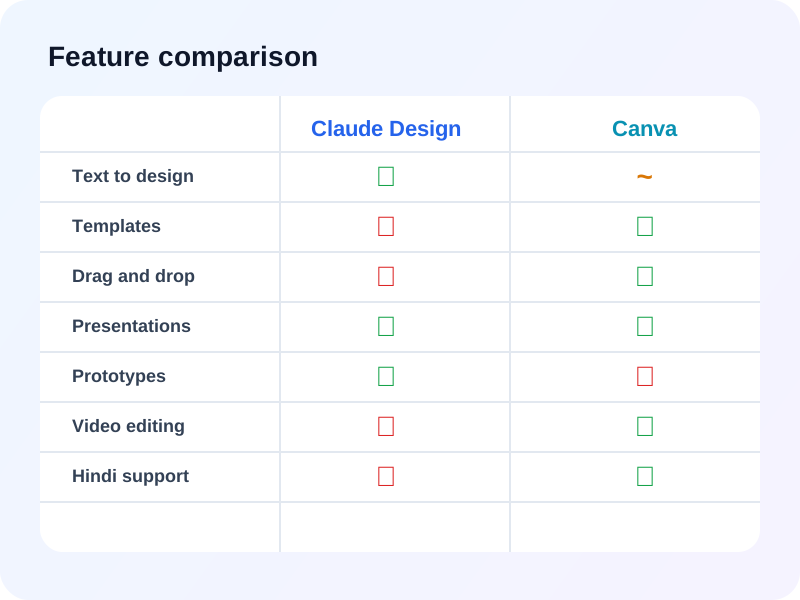
The biggest difference is simple: Claude Design feels like a prompt-first creation engine, while Canva is still the stronger visual editor once you want control, templates, social formats, and mobile support.
| Feature | Claude Design | Canva |
|---|---|---|
| Text to design | Excellent | Basic |
| Templates | None yet | 1M+ templates |
| Drag and drop editor | No | Yes |
| AI generation | Advanced | Good |
| Video editing | No | Yes |
| Social media posts | Limited | Excellent |
| Presentations | Good | Excellent |
| Prototypes | Excellent | No |
| Export options | PDF, URL, PPTX | PDF, PNG, MP4 |
| Mobile app | No yet | Yes |
| Hindi support | Limited | Yes |
| Free plan | Limited | Generous |
Claude AI Design vs Canva: pricing in 2026
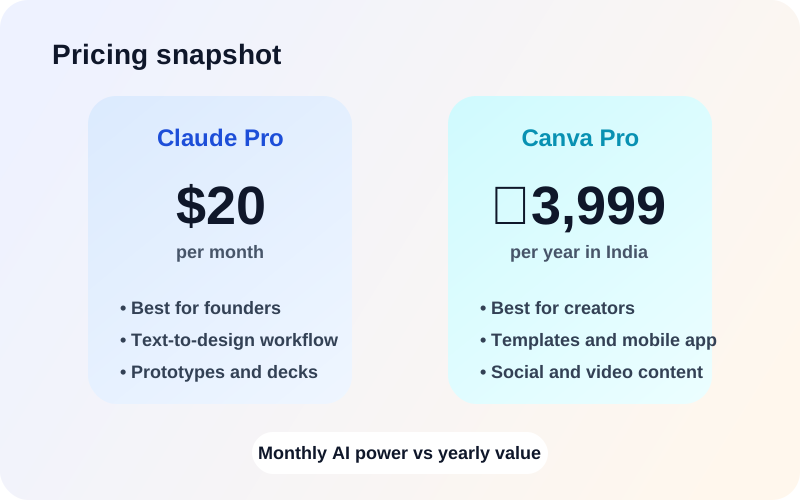
Pricing is where the decision gets practical for Indian users. Canva's free tier and annual Pro plan are easier to justify for students, freelancers, and day-to-day content work. Claude Design becomes more compelling when its faster generation workflow saves real founder or product-team time.
Claude Design pricing
| Free | Limited access | Testing only |
| Claude Pro | $20/month | Individuals |
| Claude Team | $30/user/month | Small teams |
| Enterprise | Custom | Large companies |
Canva pricing in India
| Free | Rs. 0/month | Students and beginners |
| Canva Pro | Rs. 3,999/year | Professionals |
| Canva Teams | Rs. 5,999/year | Small teams |
| Enterprise | Custom | Large companies |
Claude Design vs Canva: pros and cons
Claude Design pros
- No design skills needed for first drafts
- Strong prompt-to-prototype workflow
- Helpful for decks, one-pagers, and technical visuals
- Works naturally for founders and product teams
- Can move work into Canva for polishing
Claude Design cons
- Still very new and experimental
- No rich template library yet
- Not ideal for heavy social media production
- No clear mobile-first workflow
- Harder to justify for casual users at paid-plan pricing
Canva pros
- Generous free plan
- Huge template library
- Works on mobile and desktop
- Excellent for social content, posters, and presentations
- Easy for beginners and Hindi-friendly workflows
Canva cons
- AI generation feels less advanced than prompt-first tools
- Not designed for prototype-style product workflows
- Some free assets still come with restrictions
- Larger projects can feel crowded or slow
Real-world use cases
Use Claude Design if you need to
- Create a startup pitch deck quickly from a prompt
- Build a product prototype for investors or teammates
- Generate a one-pager for a business concept
- Create consistent technical documentation visuals
- Move faster before the polishing stage
Use Canva if you need to
- Create Instagram and Facebook posts
- Design YouTube thumbnails and banners
- Make logos, resumes, posters, and flyers
- Edit short videos for social media
- Work across mobile and desktop with templates
Which is better for Indians in 2026?
There is no single winner for everyone. The right answer depends on your budget, your design confidence, and whether you care more about generation speed or editing flexibility.
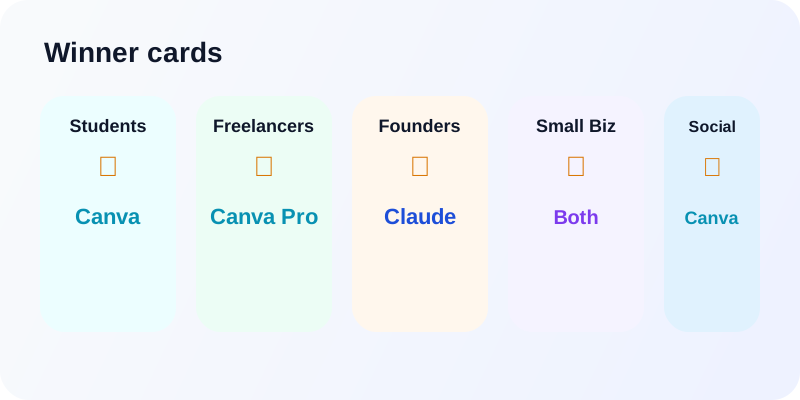
For students
Winner: Canva
The free plan, mobile app, and template library make Canva the easiest student pick.
For freelancers
Winner: Canva Pro
Yearly pricing is easier to justify when client-ready visuals are the priority.
For startup founders
Winner: Claude Design
Prompt-driven decks and prototype-style outputs make it attractive for founder workflows.
For small businesses
Winner: Both together
Use Claude for concepts and Canva for final editing.
For social media managers
Winner: Canva
Template variety, sizing presets, and video support still matter most here.
How to use Claude Design and Canva together
For many Indian users, the smartest workflow is not choosing only one tool. It is using Claude Design for speed and Canva for polish.
- Open Claude Design and describe the output you want.
- Generate a pitch deck, prototype, or one-pager from the prompt.
- Export the result to Canva.
- Use Canva's drag-and-drop tools to polish fonts, layouts, and branding.
- Download and publish the final asset.
That combination gives you the speed of AI generation and the confidence of a mature editor with templates and mobile support.
Free alternatives to both tools
If you do not want to pay for either tool yet, start with simple free options such as Google Slides, Microsoft PowerPoint, Figma's free plan, or Adobe Express. They will not cover every use case here, but they are enough for many student and beginner workflows.
Use inclaw.me free tools
If you also need help with business documents, legal paperwork, or professional content, inclaw has free tools that fit neatly into the same workflow:
AI Resume Builder for students and job seekers who want a faster CV draft.
AI Business Name Generator for founders and side-hustlers naming a new brand.
Invoice Generator for freelancers and small businesses who need client-ready billing.
Final verdict
| Use case | Best tool |
|---|---|
| Students | Canva Free |
| Freelancers | Canva Pro |
| Startup founders | Claude Design |
| Social media | Canva |
| Prototypes | Claude Design |
| Budget users | Canva Free |
| Best combo | Claude + Canva |
Start with Canva Free if you want the safest, most budget-friendly answer for 90 percent of common design work in India. Add Claude Pro when you care about creating pitch decks, prototypes, and one-pagers from text much faster.
The strongest setup for many founders and small teams is still the hybrid one: create in Claude Design, polish in Canva, and publish faster.
Disclosure: Some links in this article are affiliate links. inclaw may earn a commission if you purchase through them, at no extra cost to you.
FAQ
Is Claude Design free?
Claude Design appears to have limited free access, while the fuller experience is positioned inside paid Claude plans such as Claude Pro.
Can Canva replace Claude Design?
Not completely. Canva is stronger for templates, drag-and-drop editing, and social content, while Claude Design is positioned around generating prototypes, slides, and one-pagers from text prompts.
Is Canva free in India?
Yes. Canva has a free plan for Indian users, and this article compares that with Canva Pro pricing for people who need more templates and brand features.
Which is better for beginners?
Canva is the easier starting point for most beginners because it offers templates, a visual editor, and a gentler learning curve than prompt-first design workflows.
Can I use Claude Design in Hindi?
This comparison treats Claude Design as primarily English-first for now, while Canva is the more practical choice for Hindi-friendly workflows.
Does Claude Design work on mobile?
This article positions Canva as the stronger mobile option. Claude Design is presented here as a newer web-focused workflow.
Which tool should Indian students use?
For most Indian students, Canva Free is the better fit because it is budget-friendly, template-rich, and easier to use for class presentations and assignments.
Can I make money with these tools?
Yes. Freelancers can use Canva for faster client work and use Claude Design for faster concept generation, pitch decks, and prototype-style deliverables.
Related reading
AI Tools
10 Best Free AI Tools for Indians in 2026
A practical roundup of free AI tools Indians can use in 2026 for resumes, legal drafts, salary math, invoices, writing, and more.
Finance
Income Tax Calculation India 2026: Complete Guide with Examples
A full India 2026 tax guide covering new and old regime slabs, deductions, cess, freelancer treatment, filing dates, and worked examples.